How to Test Your Voice AI Agent in the Pilot Phase
Last updated: July 29, 2025
Why Good Testing Is Crucial
A structured test delivers valuable insights in just two to three weeks, helping your agent become successful faster and enabling you to move more quickly towards improved customer interactions
1. First Test Call
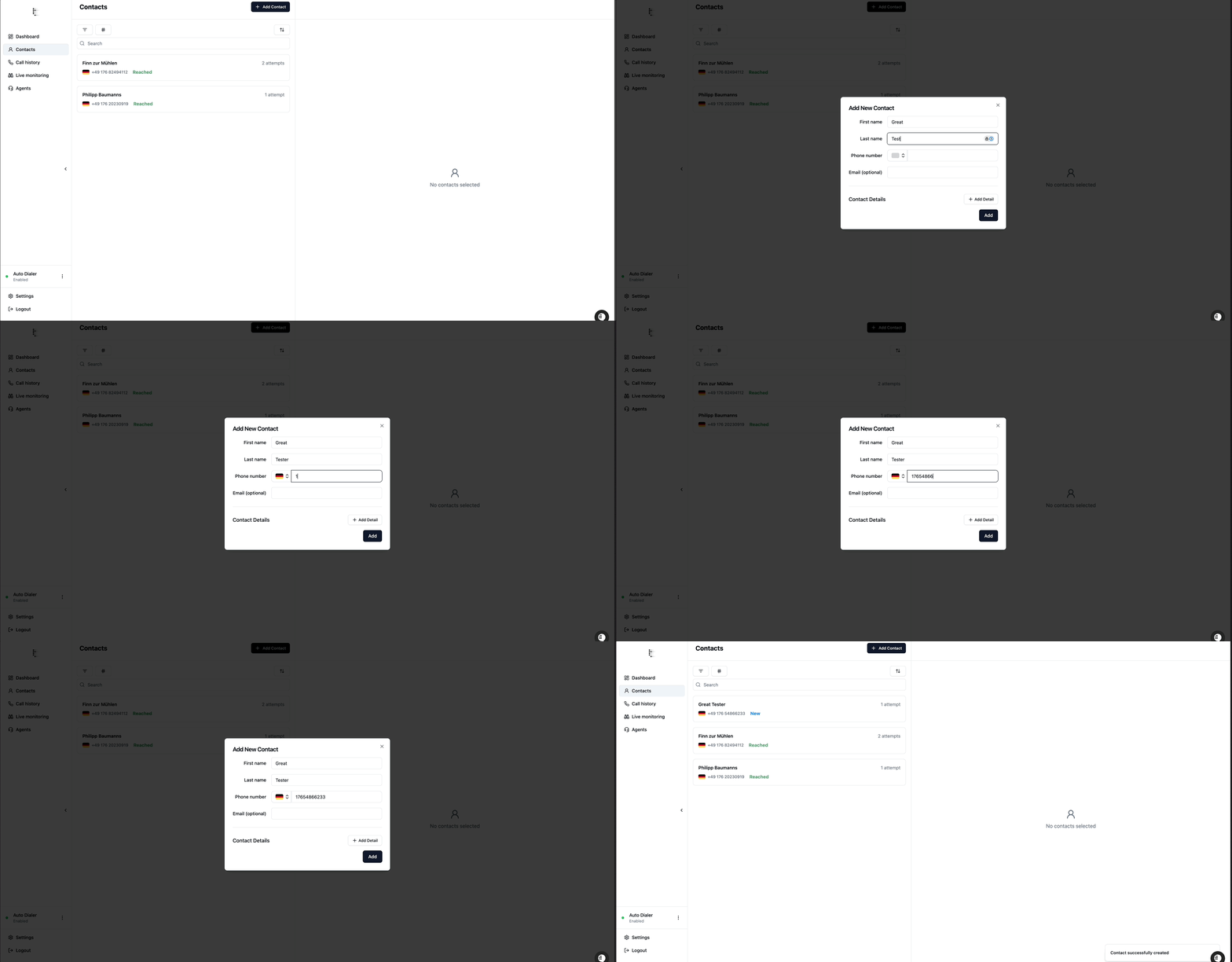
1.1 Create a Test Contact
Sign in to the telli app.
Go to Contacts.
Click Add New Contact, fill in the details, and save.
1.2 Initiate the Test Call
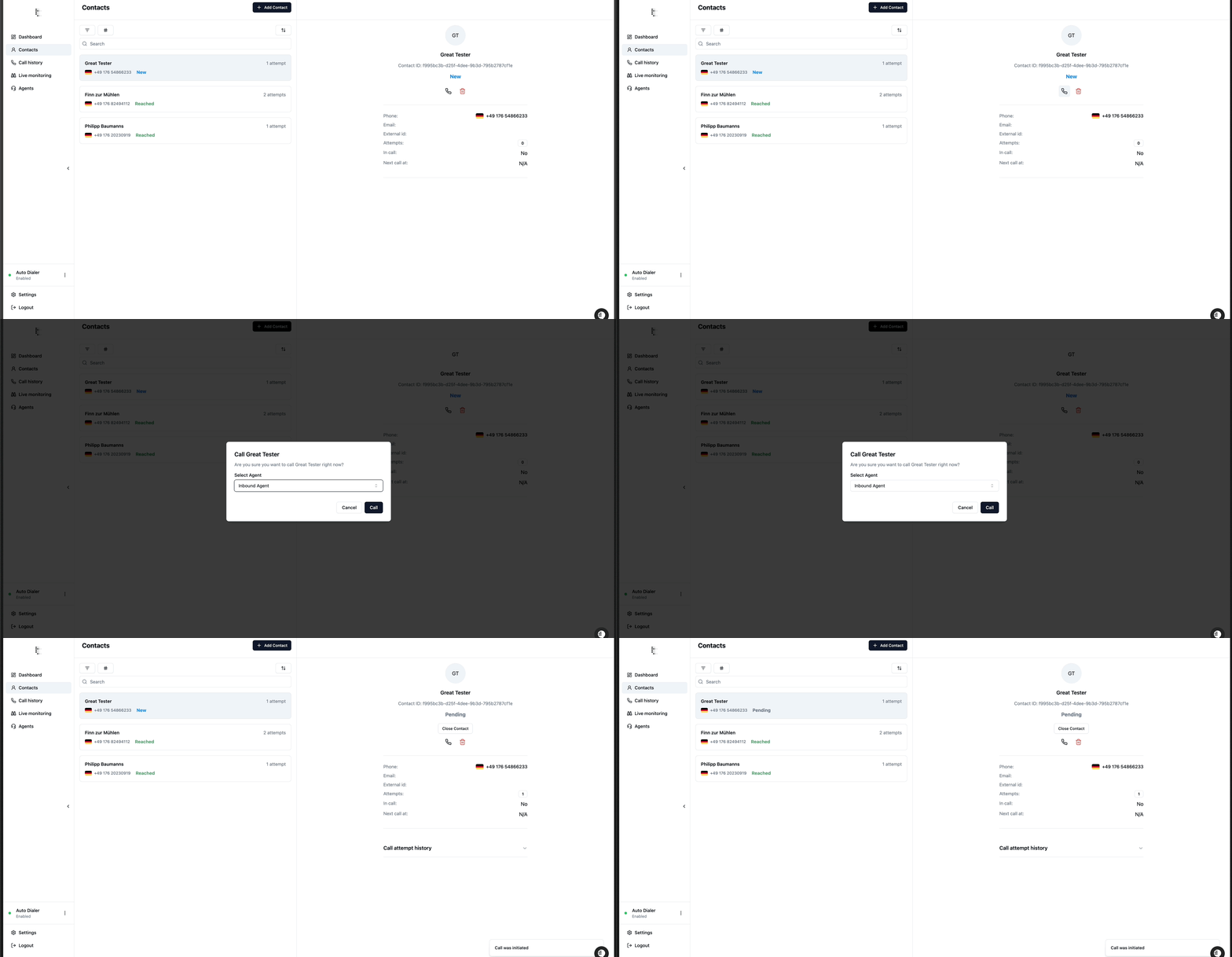
Select the test contact you just created.
Click Call, answer the incoming call, and conduct a natural conversation with the agent.
2. Evaluation Criteria
2.1 Conversation Flow & Script
Question Accuracy: Does the agent ask the right questions at the right time?
Wording: Is the phrasing clear and appropriate for your target audience?
2.2 Audio & Pronunciation
Watch for stuttering, cracking, or unusual intonation.
Note any words the agent consistently mispronounces.
2.3 Tool Integration
Do external tools (e.g. appointment booking) work reliably?
How does the agent behave when a tool call fails?
2.4 Call Analysis Output
Accuracy: Does the summary capture all the key points?
Formatting: Is the output structured correctly for your CRM or reporting needs?
3. Self-Remediable Issues
Incorrect Behavior in Conversation
Adjust the system prompt to correct the logic or flow.
(See our dedicated article for more details.)Pronunciation or Audio Errors
Switch the voice or fine-tune phonetic spellings in the prompt.
4. Providing Granular Feedback
We recommend you first try to resolve any issue yourself—by tweaking prompts, voices or settings—and only submit a downvote if the problem truly lies beyond your control.
4.1 Turn‑by‑Turn Feedback
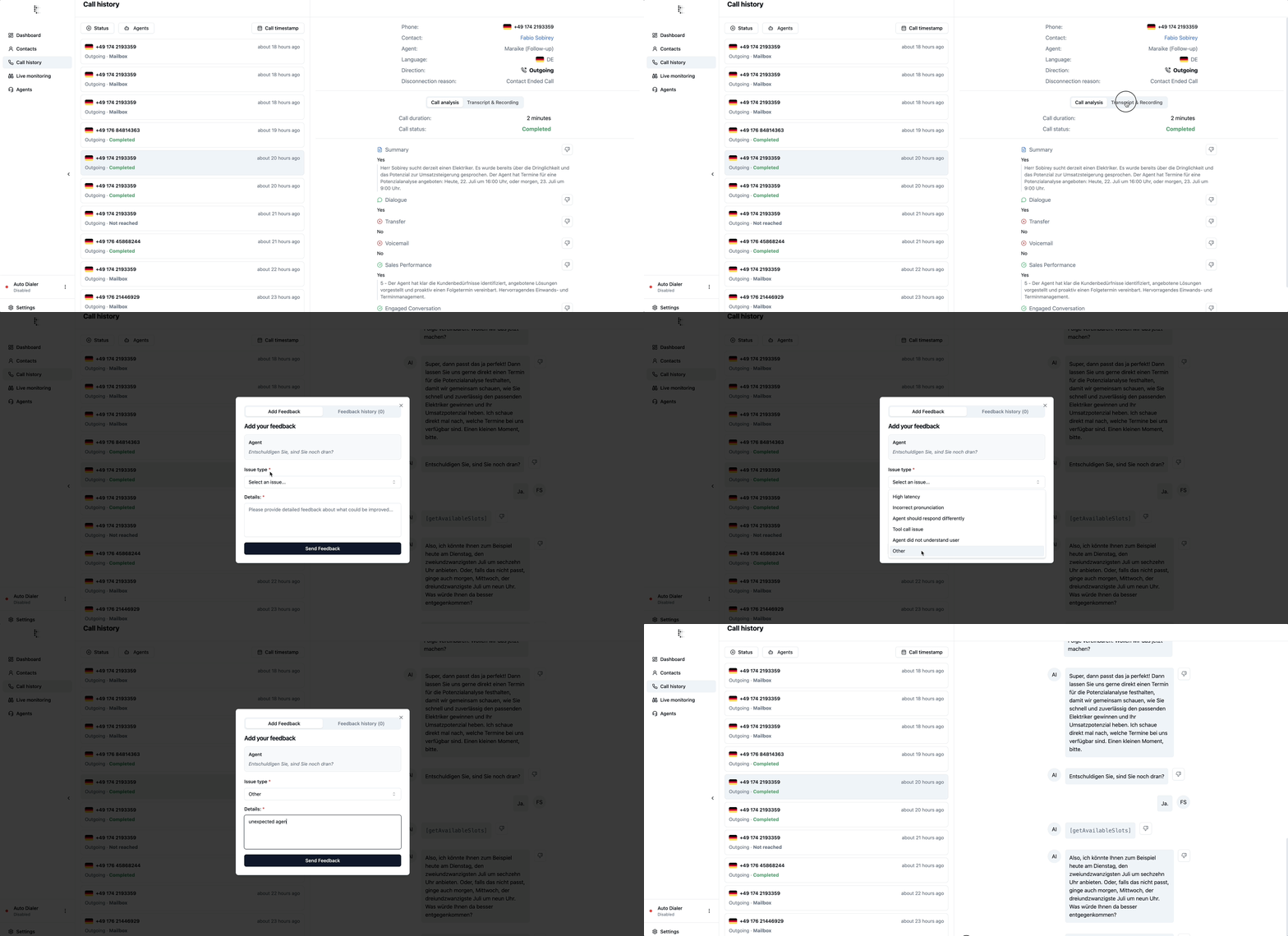
Use a turn‑level downvote only when a single message has an issue you cannot remedy yourself:
Downvote if (non‑self‑remediable):
Tool failures (e.g. availability tool didn’t return slots)
Audio dropouts or latency beyond what prompt/voice changes can fix
Resolve yourself (no downvote needed):
Content errors (wrong response or missed question) – update your system prompt (see Prompt Editor guide).
Spelling/pronunciation in that turn – change the voice model or add a pronunciation section in your prompt
By attempting to self‑remedy first, you’ll keep your agents sharp with prompt and settings tweaks—and reserve downvotes for truly unfixable issues that need our attention.
4.2 Call‑Level Analysis
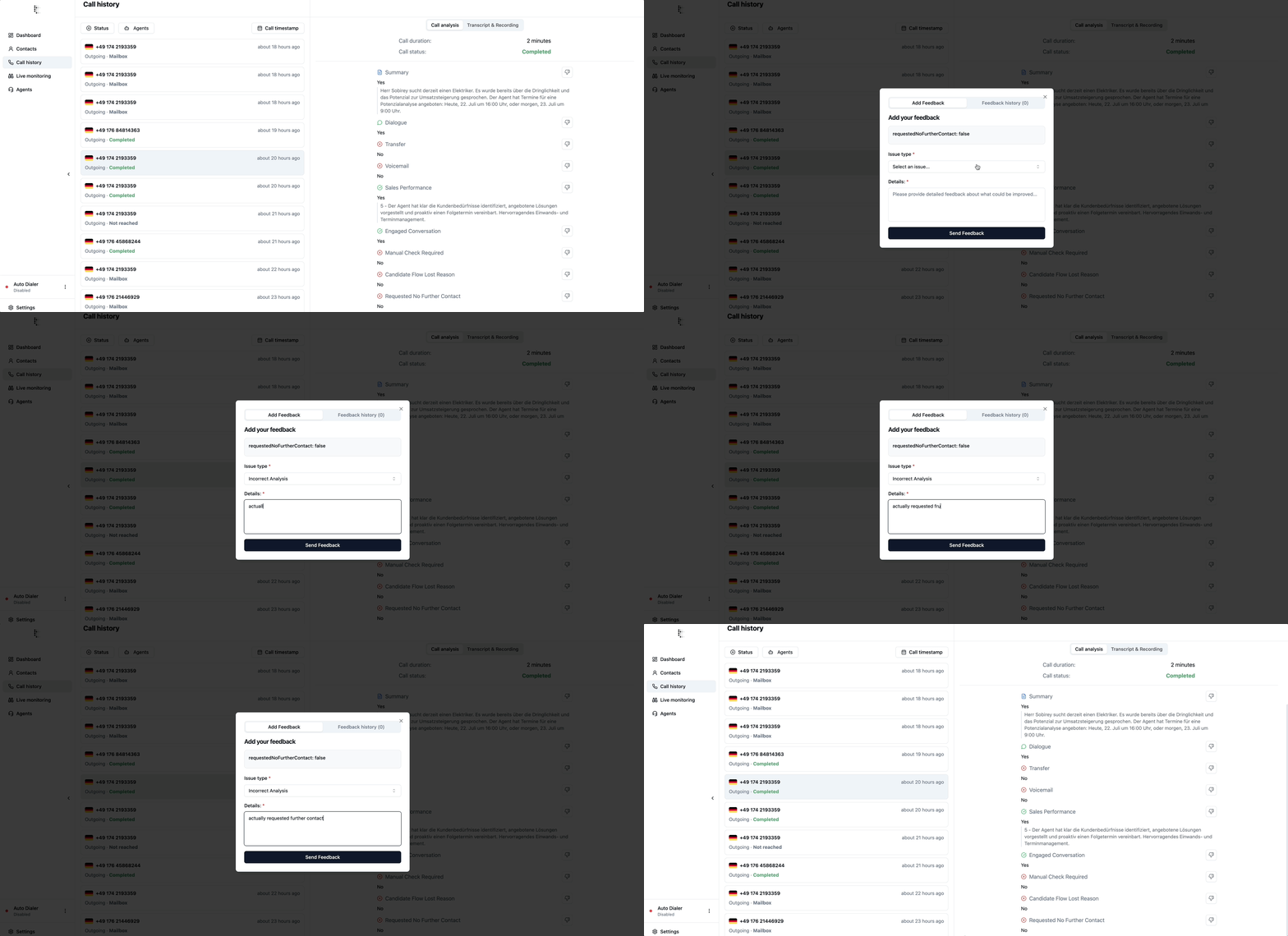
Use a call‑Analysis when the issue is on an analysis point
Downvote if (non‑self‑remediable):
Example feedback:
“The customer_name analysis point extracted "Christie" instead of "Christina" ”
By attempting to self‑remedy first, you’ll keep your agents sharp with prompt and settings tweaks—and reserve downvotes for truly unfixable issues that need our attention.
5. Number of Test Calls
Run 2–5 test calls, apply adjustments, and repeat this cycle three times until you feel confident to start with real customer calls. Adjust the number as needed—what matters most is that you’re satisfied with the results.
6. Help & Contact
If you have any questions or run into problems, message us via the in-app contact channel. We’ll get back to you right away.