How telli Agents make calls
Last updated: July 25, 2025
telli’s voice AI agents seamlessly manage outbound and inbound calls according to your account & agent settings. This article walks through the full call flow—from the moment a contact enters the system to call completion—covering call loops, number assignment, inbound pickup, callbacks, transfers, call-me-later and calling windows.
1. Call Loop Overview
Every contact added to telli, whether via API endpoint or contacts section, enters a call loop until successfully reached or until retries are exhausted.
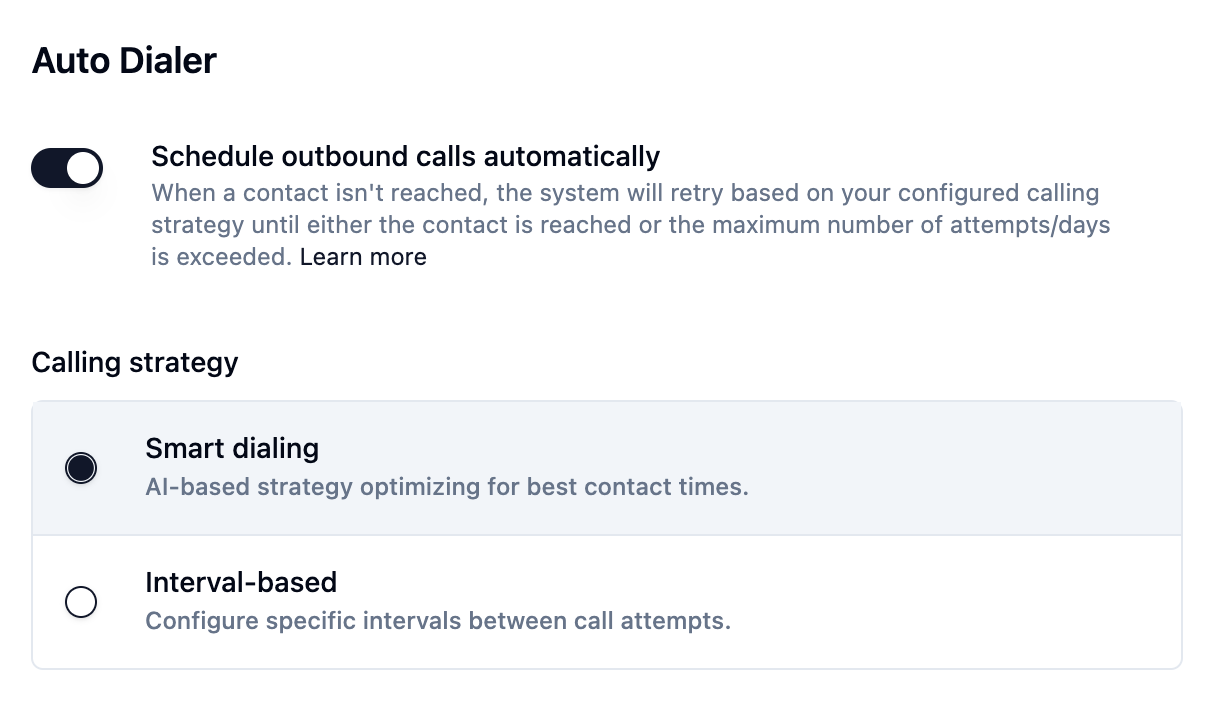
It means: If the agent doesn’t connect on the first attempt, telli automatically retries according to your chosen strategy.
Strategies: Both require the auto‑dialer to be activated:
Interval‑based dialing: Retries occur at fixed intervals (e.g. every 15 minutes).
Smart dialing: telli dynamically adjusts retry timing based on our best‑practice strategy.
Contacts remain in the loop until either:
The call is completed, or
The maximum number of attempts is reached (as configured in your agent settings) and the contact is set to closed.
Read more about dialing strategies in the telli docs: https://docs.telli.com/auto-dialer
2. Phone Number Assignment
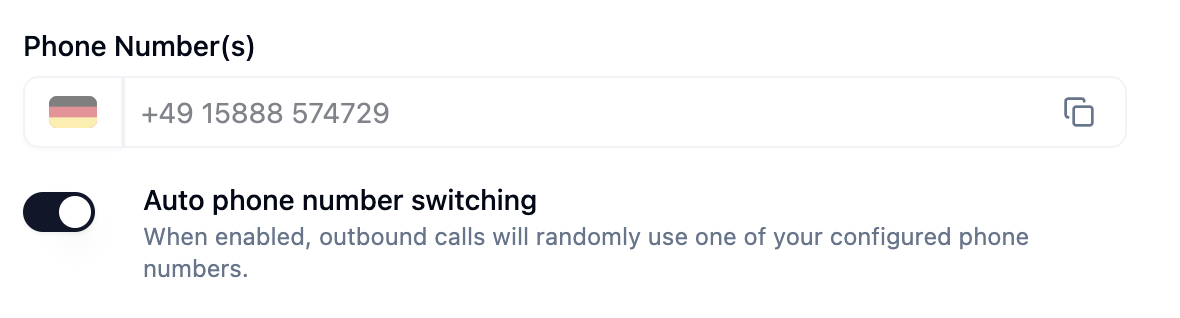
Agents require a caller ID number for outbound calls. telli offers two modes:
Mode | Behavior |
Single Number | Each agent is tied to one fixed number. |
Auto Number Switching | Agents draw from a pool of available numbers in your account for each call—reducing wear on any single number. |
Recommendation: Enable auto number switching to minimize risks of carrier throttling or number blocking.
Default Number: Even with switching enabled, you can set one number as the default outbound caller ID. When configured, the agent always uses that number.
3. Incoming Pickup & Callbacks
Incoming Pickup
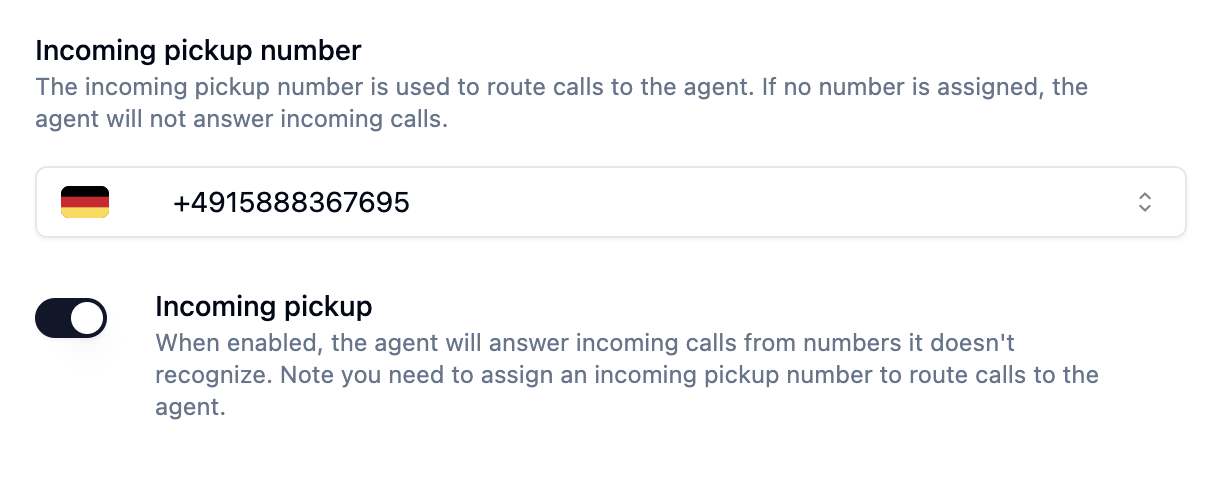
If inbound pickup is enabled, any call to the agent’s assigned number will be answered by the agent, regardless of call‑loop status.
Callbacks

Callbacks apply to contacts already in a call loop who:
Miss their current call attempt, and
Dial the agent’s number themselves.
These “warm” callbacks can be handled automatically if callback handling is turned on.
You can enable both inbound pickup and callback handling together for full coverage.
4. Call Me Later Feature

When a lead requests a specific callback time during a conversation, agents can:
Recognize phrases like “call me later today”
Set the call status to “pending” instead of “completed.”
Schedule a new call at the requested time.
Complete the call loop only after the scheduled attempt succeeds.
Note: To activate “call me later,” include instructions in your agent’s system prompt so it knows when and how to schedule the follow‑up.
5. Call Transfer Behavior

Agents can transfer calls to live agents or external numbers:
Configuration: Define transfer logic in the Agent system prompt
Ensure your prompt clearly specifies when a call should be transferred
6. Dialing Windows
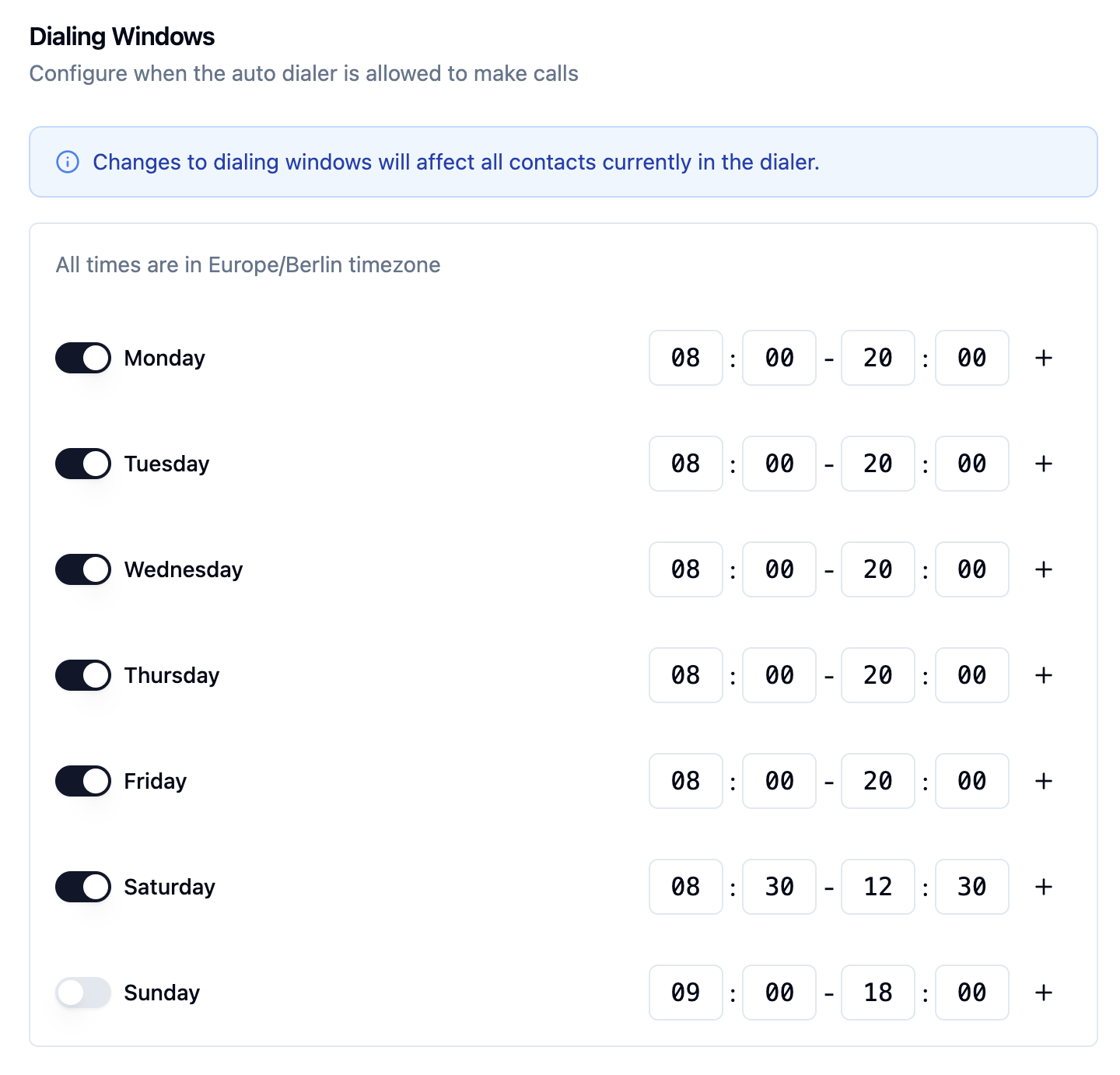
Calling windows enforce time‑of‑day restrictions across your account:
Schedule calls Endpoint: Respect the window (e.g. 9 AM–6 PM local time). If a call is due outside the window, it’s deferred until the next permissible slot.
Initiate calls Endpoint: Trigger regardless of window—useful for on‑demand outreach.
Configure windows under Settings → Dialling Windows to align with local regulations and customer expectations.
7. Call Recordings

telli provides a toggle switch to enable or disable recording for each call.
With these settings in place, telli agents handle every step of the calling process—automating retries, managing numbers, handling inbound flows, and respecting your operational rules.